
Screenshots



App details
- Updated
- Feb 15, 2013
- Language
- English
- Developer
- Rishabh Agarwal
- Category
- Mobile
SoftPas in:
This product is also available in the following languages:
About Captured Moments
Download Captured Moments – Windows 8 Theme, Photography, Desktop Customization
Overview
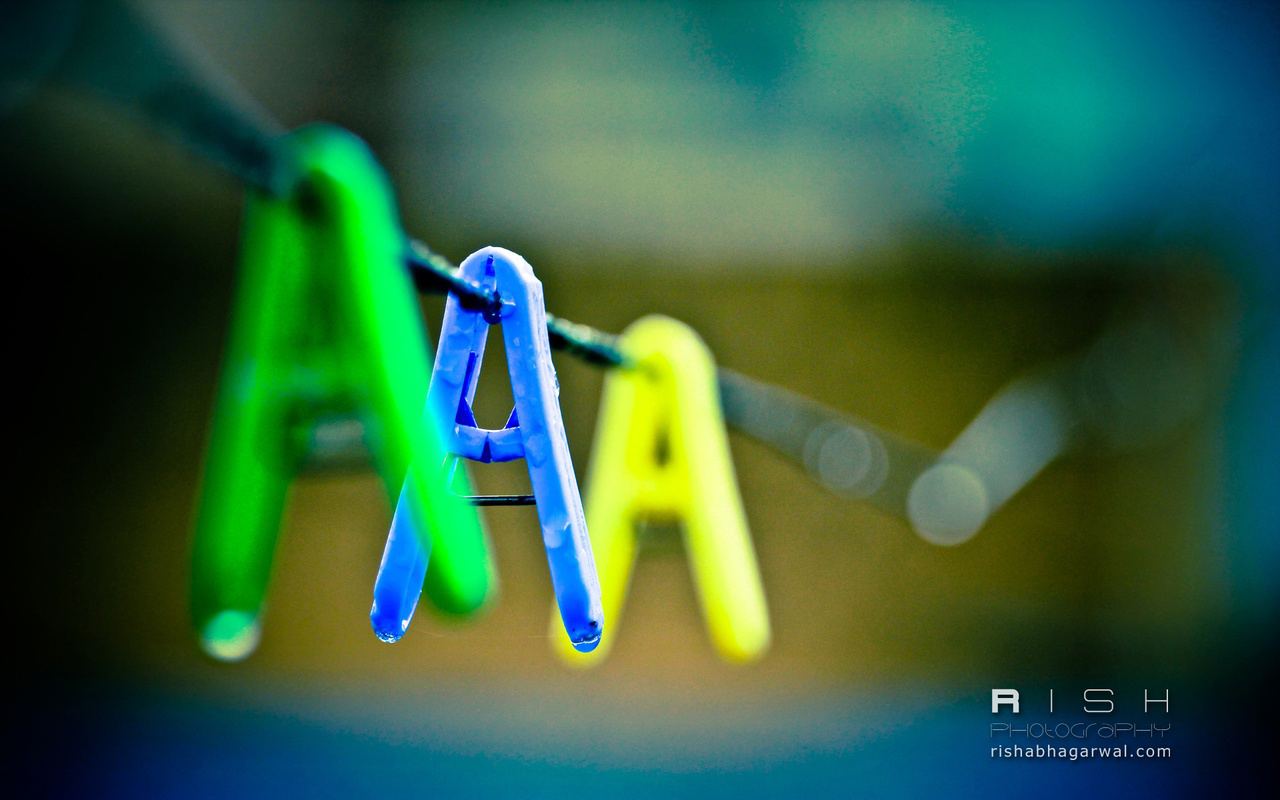
Captured Moments is a visually driven desktop theme designed for Windows 8 users seeking to elevate their computing experience through curated photography. Developed by Rishabh Agarwal, the theme transforms the desktop interface into a gallery of poignant, real-life moments captured by a single photographer. Each image within the theme conveys a quiet narrative—whether it’s a dog’s intense gaze, a splash frozen mid-motion in a cup, or simple clothespins styled to resemble letters. These visuals are not merely decorative; they serve as ambient stimuli that can enhance focus, inspire creativity, or simply bring a sense of calm to daily digital tasks.
The app targets users who value aesthetic personalization and appreciate the artistry behind everyday scenes. It is particularly suited for individuals who spend long hours at their computers and seek a more engaging, emotionally resonant environment. By replacing default desktop backgrounds with high-contrast, thoughtfully composed images, Captured Moments fosters a unique atmosphere conducive to both productivity and relaxation. It fills a niche in the Windows 8 ecosystem where personalization tools are limited, offering a refined alternative to generic wallpapers.
Although the developer did not provide additional technical details, the theme’s release date of May 1, 2013, indicates it was crafted during the early adoption phase of Windows 8, suggesting compatibility with the platform’s evolving design language. Its enduring presence reflects its appeal to users who prioritize visual storytelling in their digital spaces.
Key Features & Functionality
- Curated Photography Collection: Features 10+ high-resolution images selected by photographer Rishabh Agarwal, each capturing fleeting, meaningful moments in everyday life.
- Dynamic Desktop Integration: Automatically applies selected images as desktop backgrounds, ensuring seamless visual continuity across the user interface.
- Bubble Screensaver: Complements the theme with a gentle, animated screensaver that mimics floating bubbles, enhancing the theme’s serene and artistic mood.
- One-Click Installation: Designed for ease of use, allowing users to apply the entire theme with minimal interaction.
- Lightweight Design: At just 25.8 MB, the theme occupies minimal system resources, ensuring smooth performance on a wide range of devices.
For users, this means a simple yet powerful way to transform their digital workspace. A student working on a project may find renewed focus through the quiet intensity of a dog’s stare, while a remote worker could use the frozen splash image as a mental reset during breaks. The Bubble screensaver activates during idle time, turning screen downtime into a meditative visual experience. These features work together to create a cohesive aesthetic that extends beyond static images into interactive digital ambiance.
Interface, UX & Performance
The interface of Captured Moments is intentionally minimal, as it does not include a standalone app interface. Instead, it functions as a system-level theme, relying on Windows 8’s built-in personalization tools for activation. This design choice ensures a clean, distraction-free experience, with no pop-up menus, settings panels, or complex navigation.
Users interact with the theme through standard Windows 8 settings, selecting the theme from the desktop background menu. The visual style is consistent across all images—high contrast, natural lighting, and strong composition—contributing to a unified aesthetic. Navigation is straightforward: users can preview images before applying them and switch between options without technical barriers.
Although the developer did not list formal performance metrics, the theme’s file size of 25.8 MB suggests efficient resource usage. It is designed to operate without affecting system responsiveness, even on lower-end hardware. Stability is expected to be high, as it does not introduce background processes or third-party services. The theme runs smoothly across different screen resolutions and device categories, including desktops and laptops, maintaining visual clarity and consistency.
Platform Compatibility & Technical Requirements
Captured Moments is explicitly designed for Windows 8, making it compatible with devices running this operating system. The app’s version is listed as 1.0, indicating a stable, initial release. The file size is 25.8 MB, which is relatively small for a visual theme, suggesting optimized image compression and minimal overhead.
The developer did not specify minimum OS requirements, so users should ensure their system meets the baseline needs of Windows 8. Compatibility with Windows 8.1 or later versions is likely, though not confirmed. No additional hardware requirements were listed, meaning the theme should function on most standard desktop and laptop configurations. No permissions or background services are required, aligning with its lightweight nature.
Pros and Cons
Pros
- Free to download and install, making it accessible to all Windows 8 users.
- High-quality, artistically composed images that enhance visual appeal.
- One-click installation simplifies setup for non-technical users.
- Includes a complementary Bubble screensaver for idle time.
- Lightweight at only 25.8 MB, minimizing impact on system performance.
Cons
- Available only for Windows 8, limiting use on newer operating systems.
- No customization options for individual image selection or layout.
- Does not support dynamic background changes based on time of day.
- Developer did not provide update history or future development plans.
- May not suit users who prefer minimalist or neutral desktop themes.
FAQ
Is Captured Moments available for Windows 10 or Windows 11?
The theme was developed for Windows 8 and is not officially supported on Windows 10 or Windows 11. Compatibility may vary depending on the system, but no official updates have been released.
Can I use this theme on a tablet or touch device?
Yes, if the device runs Windows 8 and supports desktop personalization features. However, the experience may vary on touch-first devices due to interface differences.
Does Captured Moments require internet access to function?
No, once installed, the theme operates offline. No internet connection is needed for the desktop background or screensaver to work.
How do I uninstall or remove the theme?
Users can revert to default settings by going to Windows 8 Personalization settings and selecting a different desktop background or theme.
Is the theme safe to download and install?
Yes, the theme is free and distributed without known malware or intrusive permissions. It is a lightweight system-level modification with no hidden processes.
Final Thoughts
Captured Moments stands out in the Windows 8 personalization landscape as a thoughtful, artistically curated theme that transforms the desktop into a living gallery. With its emotionally resonant photography and elegant Bubble screensaver, it offers more than visual flair—it creates a mood. For users who value beauty, storytelling, and a calm digital environment, this theme delivers a meaningful upgrade to their computing experience.
While its platform-specific nature and lack of advanced customization may limit broader appeal, its simplicity, lightweight design, and free availability make it a standout choice for Windows 8 enthusiasts. Whether used for work, study, or personal enjoyment, it enhances the daily interaction with technology through art.
Download Captured Moments now
Guides & Tutorials
How to install Captured Moments
- Click the Download button above.
- Once redirected, accept the terms and click Install.
- Wait for the Captured Moments download to finish on your device.
How to use Captured Moments
This software is primarily used for its core features described above. Open the app after installation to explore its capabilities.
User Reviews
No reviews yet. Be the first to share your experience.
You may also like
more
Que no te pillen¡
About !Que no te pillen¡Reviewed by Jason A. BilbreyShow MoreShow Less

3D Combat Zone
About 3D Combat ZoneOriginally released in 1983, 3D Combat Zone immerses players...

666: El día del portal
About 666: El día del portalOn June 6, 2006, Agent P. Stone uncovers a sinister...

80 in 1 Best Flash games
About 80 in 1 Best Flash games 80 in 1 Best Flash games is a collection of 80 fl...

ABYSS SEEKERーーWhat Do You See Deep in The Abyss
About ABYSS SEEKERーーWhat Do You See Deep in The AbyssIn ABYSS SEEKER, players...

ACA NEOGEO THE KING OF FIGHTERS 2002 for Windows
About ACA NEOGEO THE KING OF FIGHTERS 2002 for WindowsTHE KING OF FIGHTERS 2002,...